Instruments & tools
Vamp
A touch controller for live looping in Ableton Live, played from an iPad.
Free and open source. Needs Ableton Live 12.4 Suite and macOS 14 or later, Apple Silicon or Intel.
The screen
Tap any part of it to see what it does.
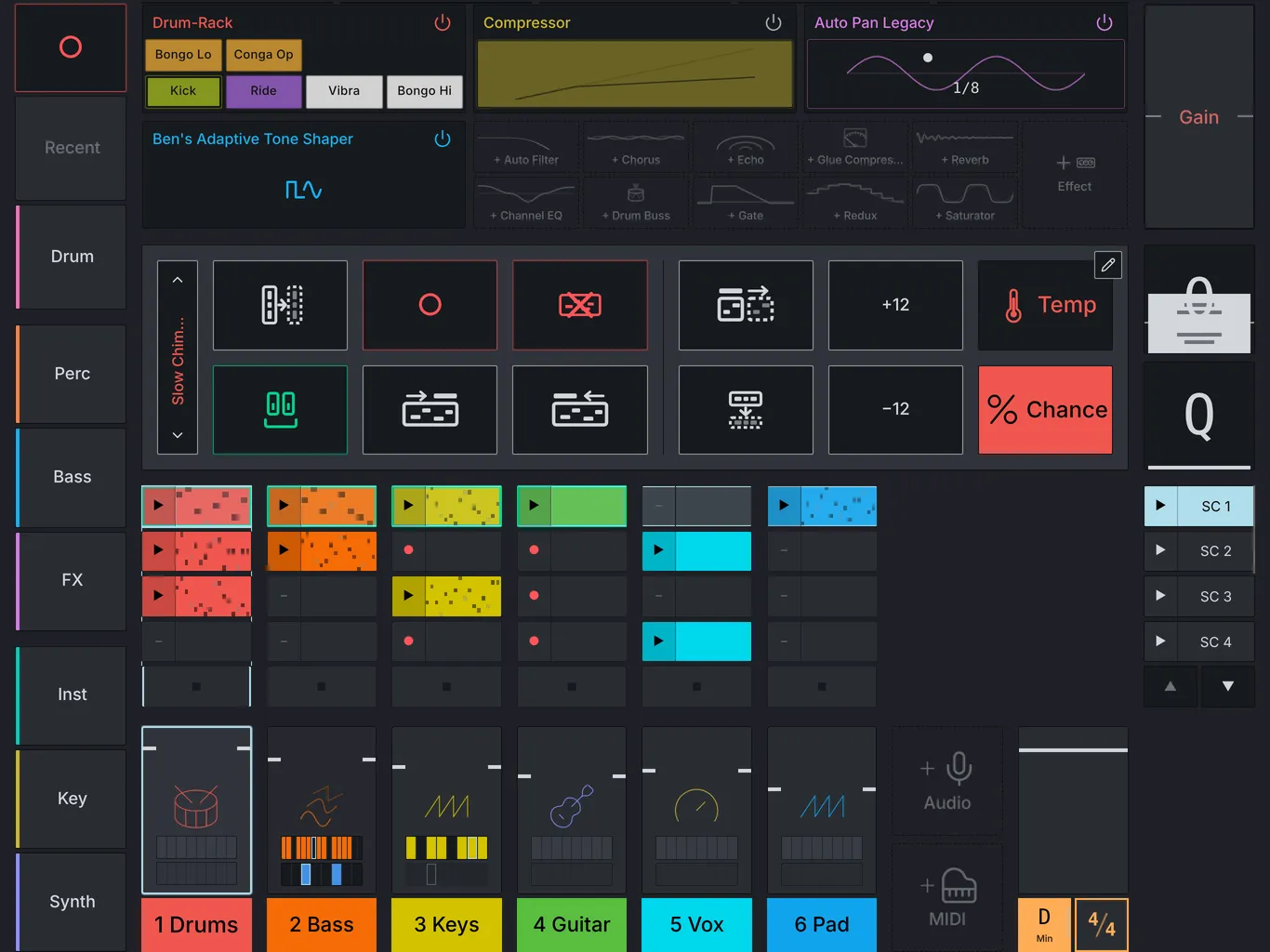
On an iPad or a computer, this is the real app, and you can play with it.
Getting started
-
Install Vamp for Mac. Open Vamp.dmg, drag Vamp to Applications, and open it. It lives in the menu bar and asks where to put the Vamp Devices folder.
-
Turn it on in Live. Open Settings → Link, Tempo & MIDI, pick Vamp as a Control Surface, then restart Live.
-
Add the Vamp Devices folder (optional). In Live’s browser, choose Places → Add Folder… and pick the Vamp Devices folder. That turns on Permute, the on-screen wheels and Capture.
-
Connect the iPad. Use Vamp for iPad over the USB-C cable (type the code the Mac’s menu bar shows), or scan the QR code in Vamp’s menu to open it in Safari.
Stuck? Email ben@benjuodvalkis.com or report a problem on GitHub.
What it does

The browser
Load any instrument, loop, sample or effect from Live's library in a tap or two.

Tracks and clips
Launch and record clips, mute, solo and mix. Everything lands on the next bar.

Clip tools
Hold a clip to copy it, shift it an octave, loosen it with chance, or draw its notes.

Effects
The selected track's chain runs along the top. Drag a device for its main control; tap it for the rest.

Permute
A step sequencer on every track that transposes and mutes the playing clip without changing its notes.

Groove
Put a clip on swing, or on any groove Live has.

Record to Simpler
Record what a track plays and turn it into an instrument.

Key Follow
After each recording, Vamp finds the key of what's playing and sets Live's to match.


